
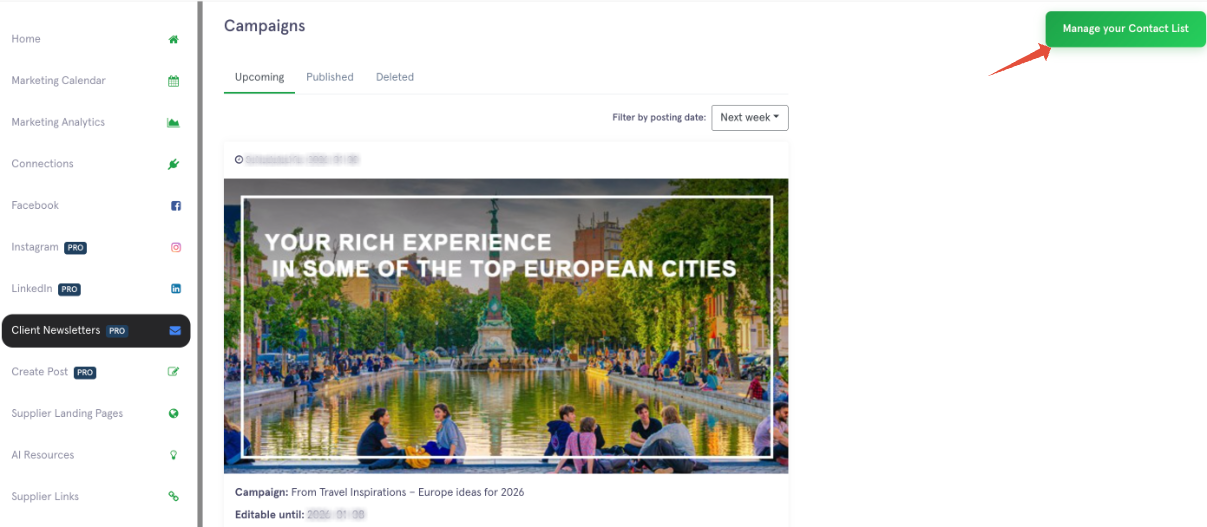
- From the left navigation menu, select Client Newsletter and click "Manage Contact List"
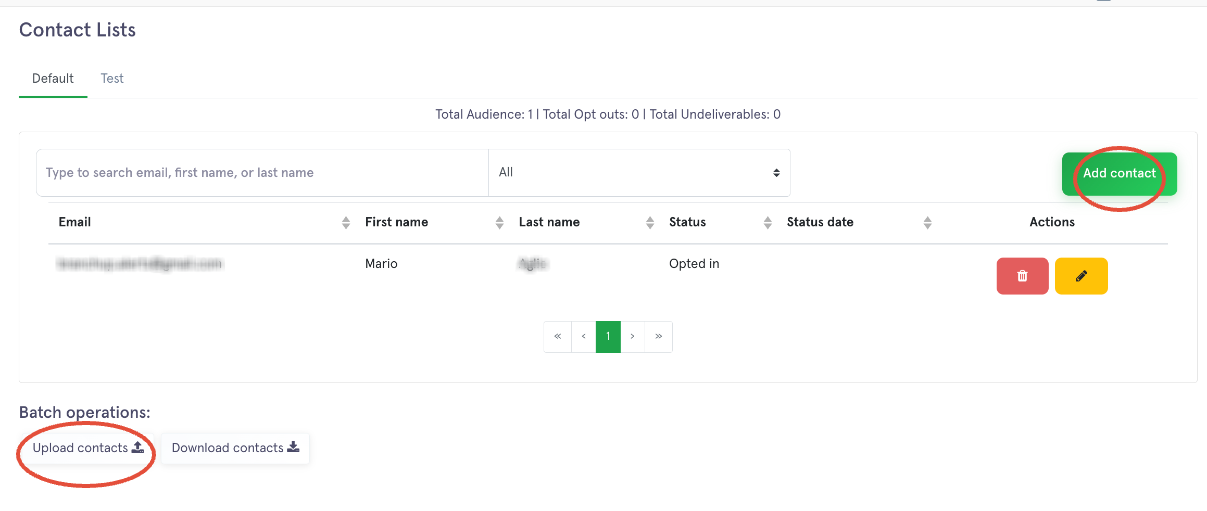
- You can add the contact one by one or by batch
- To upload your contact list, we reccomend to download the Excel file we have as an example, adding your client names and email addresses to the Excel file.
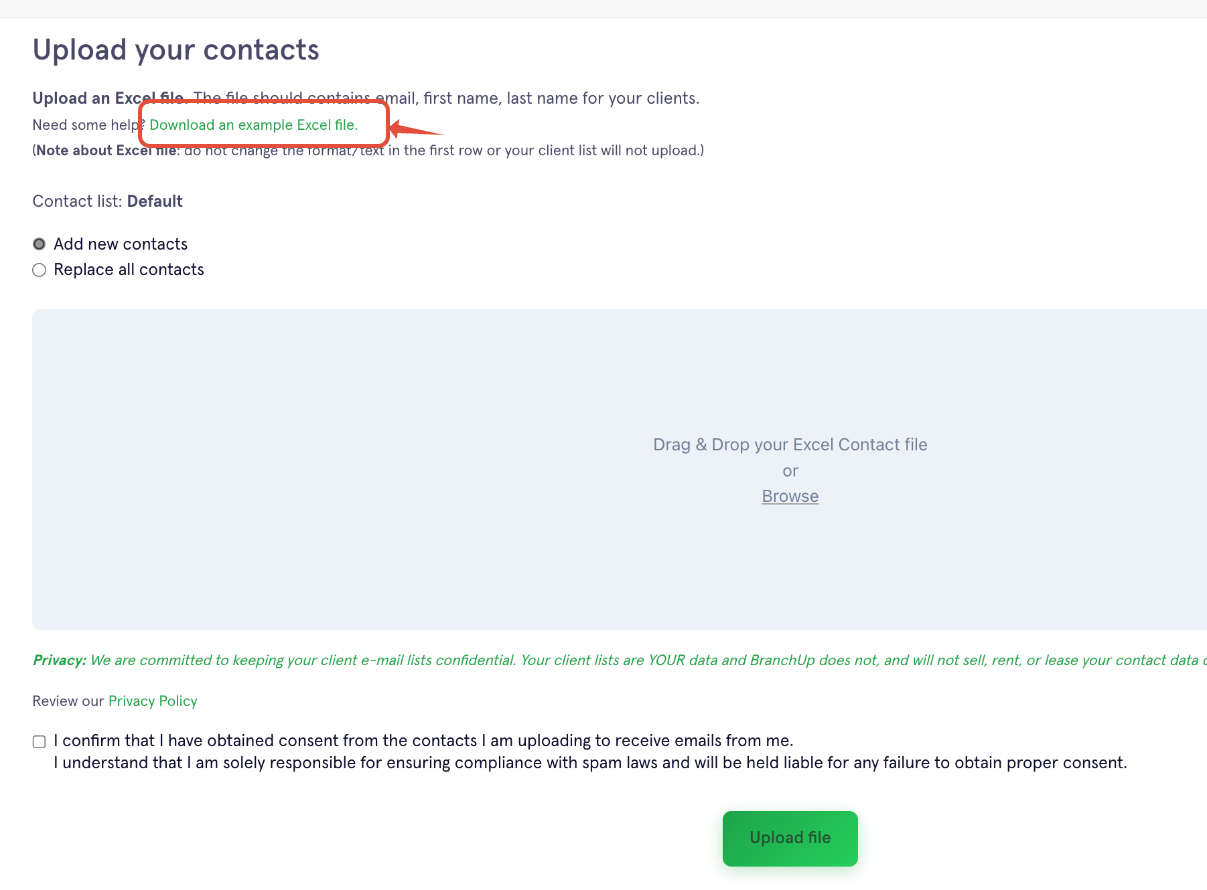
- You must not edit, add, or remove anything from the first line.
- Your clients' names would start on line 2.
- Save the file, tick the confirmation box, and upload it to your BranchUp account.
- For a video tutorial, click HERE to watch
Client Newsletter Manage Contacts Print
Modified on: Wed, Jan 7, 2026 at 10:22 AM
Did you find it helpful? Yes No
Send feedbackSorry we couldn't be helpful. Help us improve this article with your feedback.