Instructional Video
Click to view
Step-by-step walkthrough
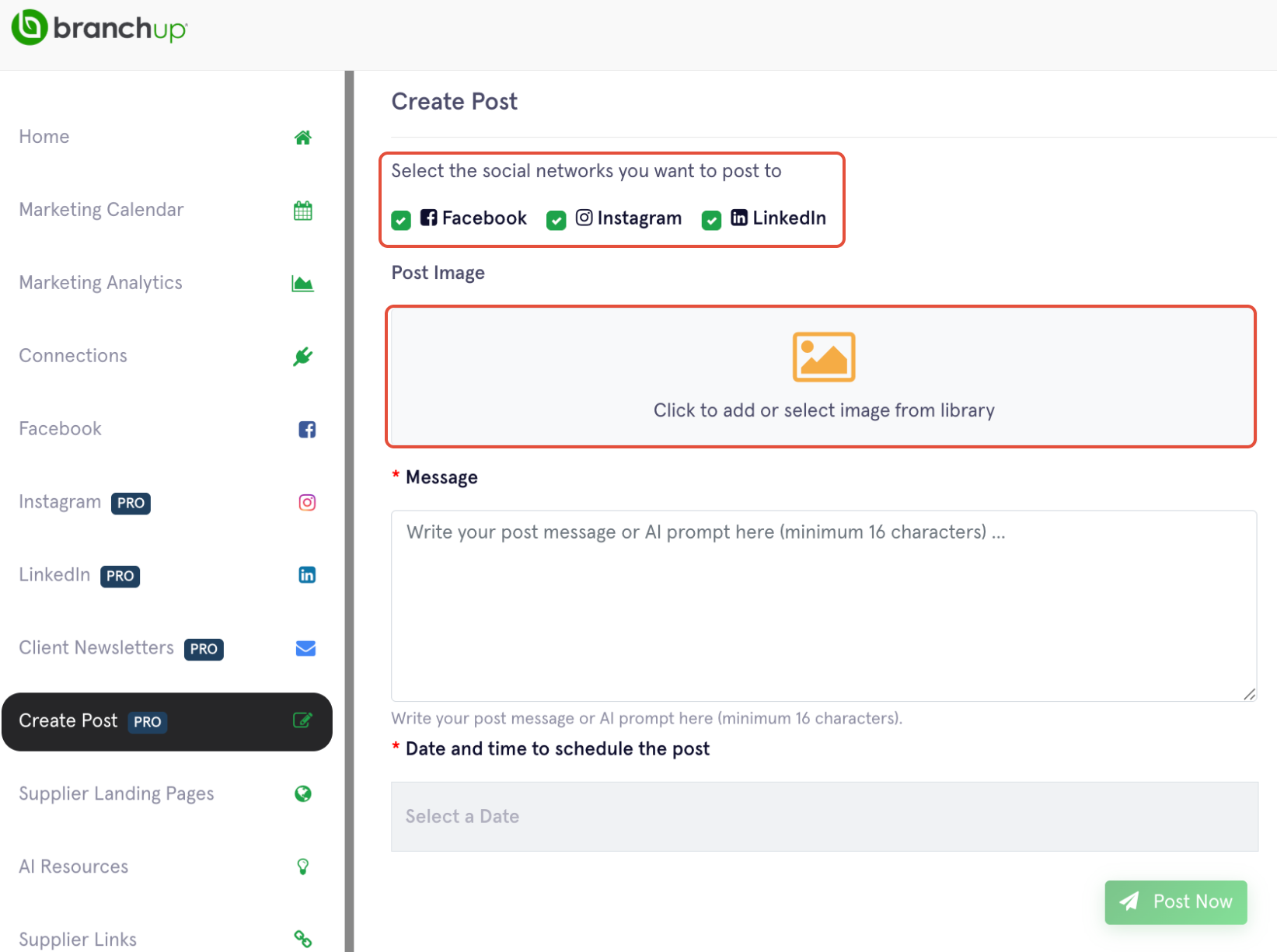
1. Select Create Post from the left menu, choose the social media, and click to select media.
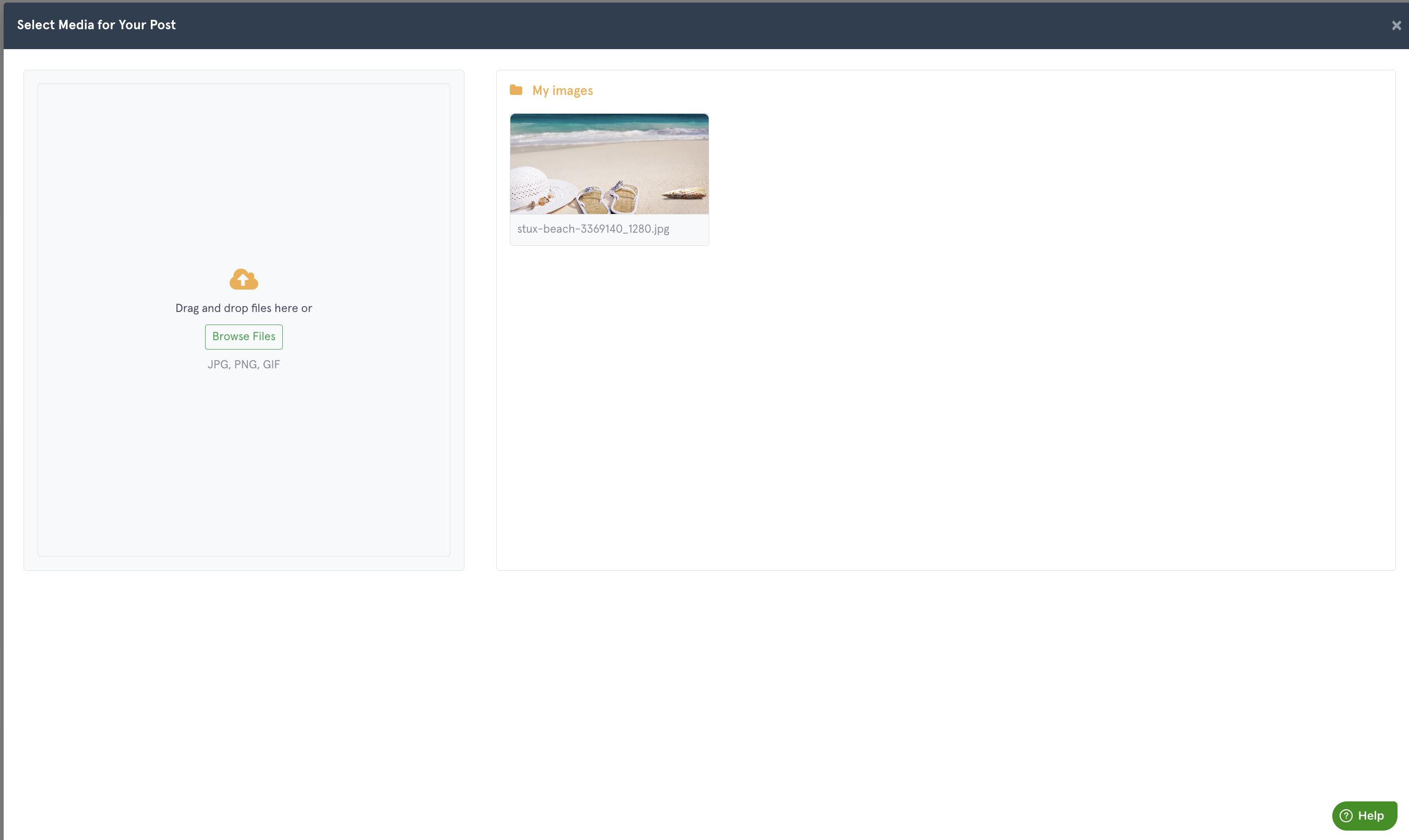
2. Upload your images
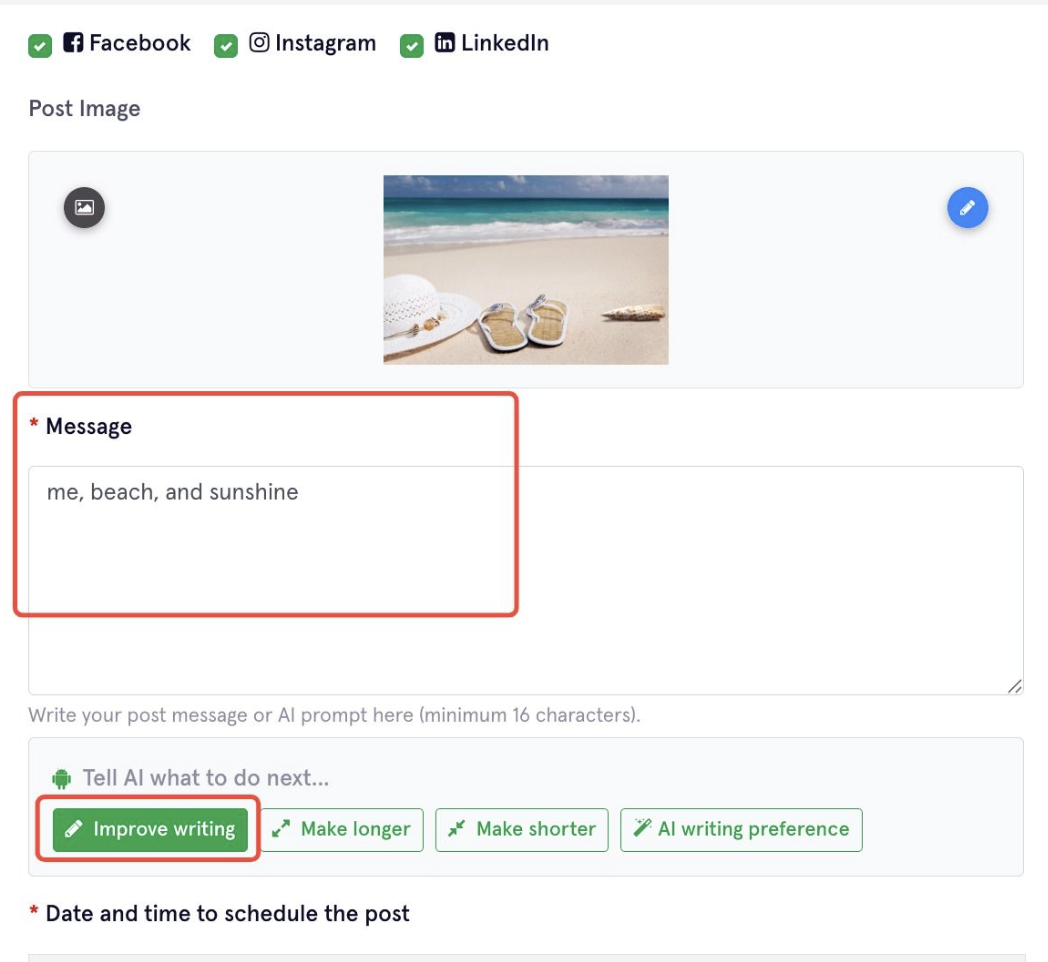
3. Let's create the caption with AI.
Type a few keywords and click "Improve Writing" to let AI generate your captions in seconds! You can edit the caption manually or use the button option to improve / adjust the length to make it longer / shorter.
4. Schedule the broadcast date
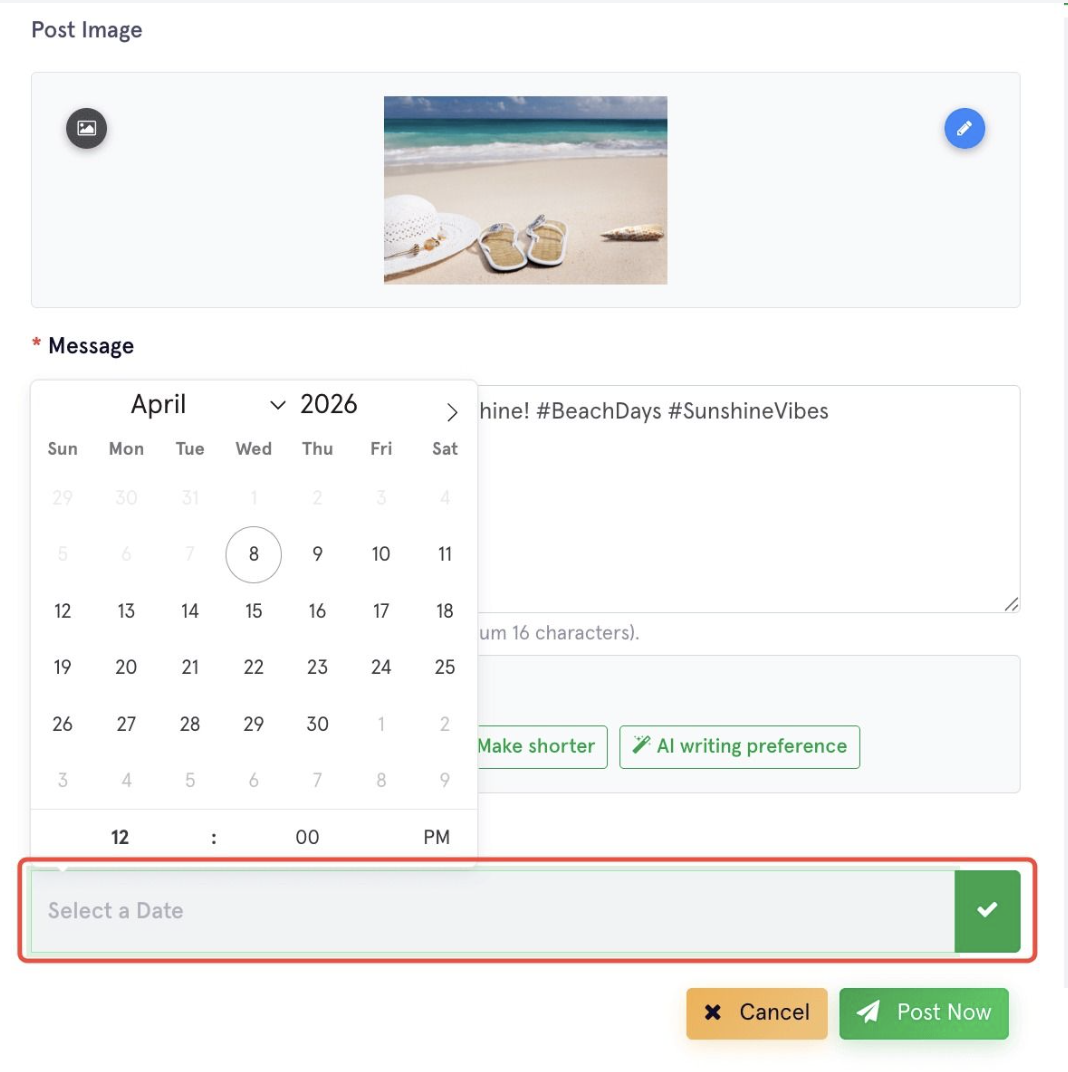
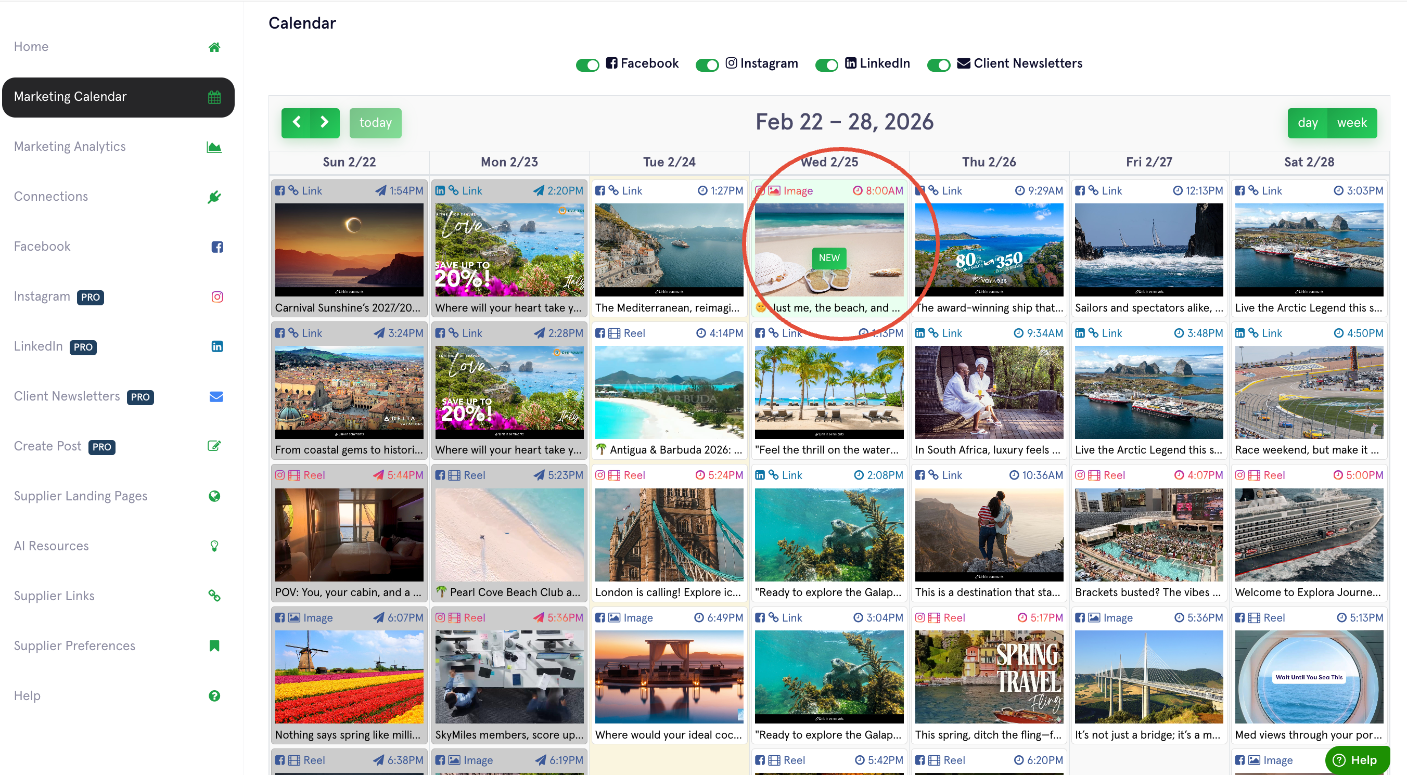
5. The scheduled post will soon appear in your Marketing Calendar.