How To See Email Marketing Reports & Analytics
Print
Modified on: Tue, Jan 27, 2026 at 9:20 AM
- Log into your BranchUp account
- Click 'Marketing Analytics' in the navigation menu on the left
- Click 'Client Newsletters' tab in the navigation menu on the top
- Here you will see an overview of each newsletter sent
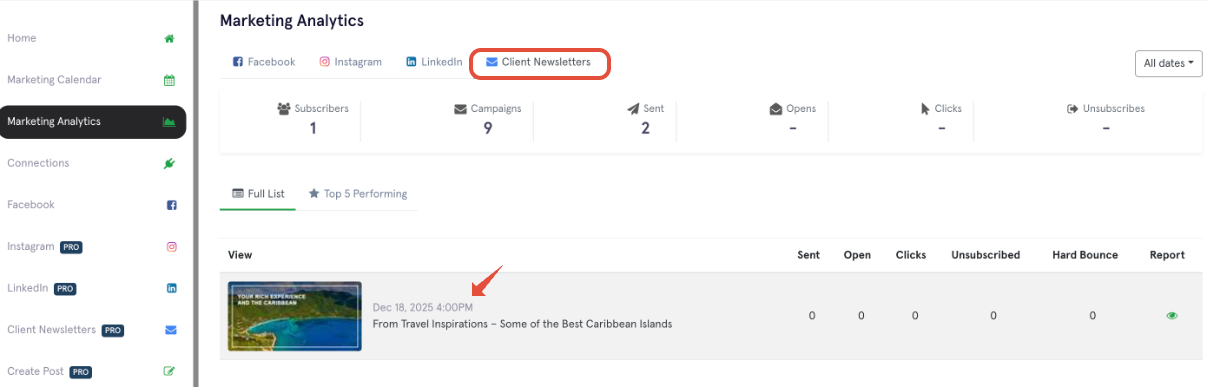
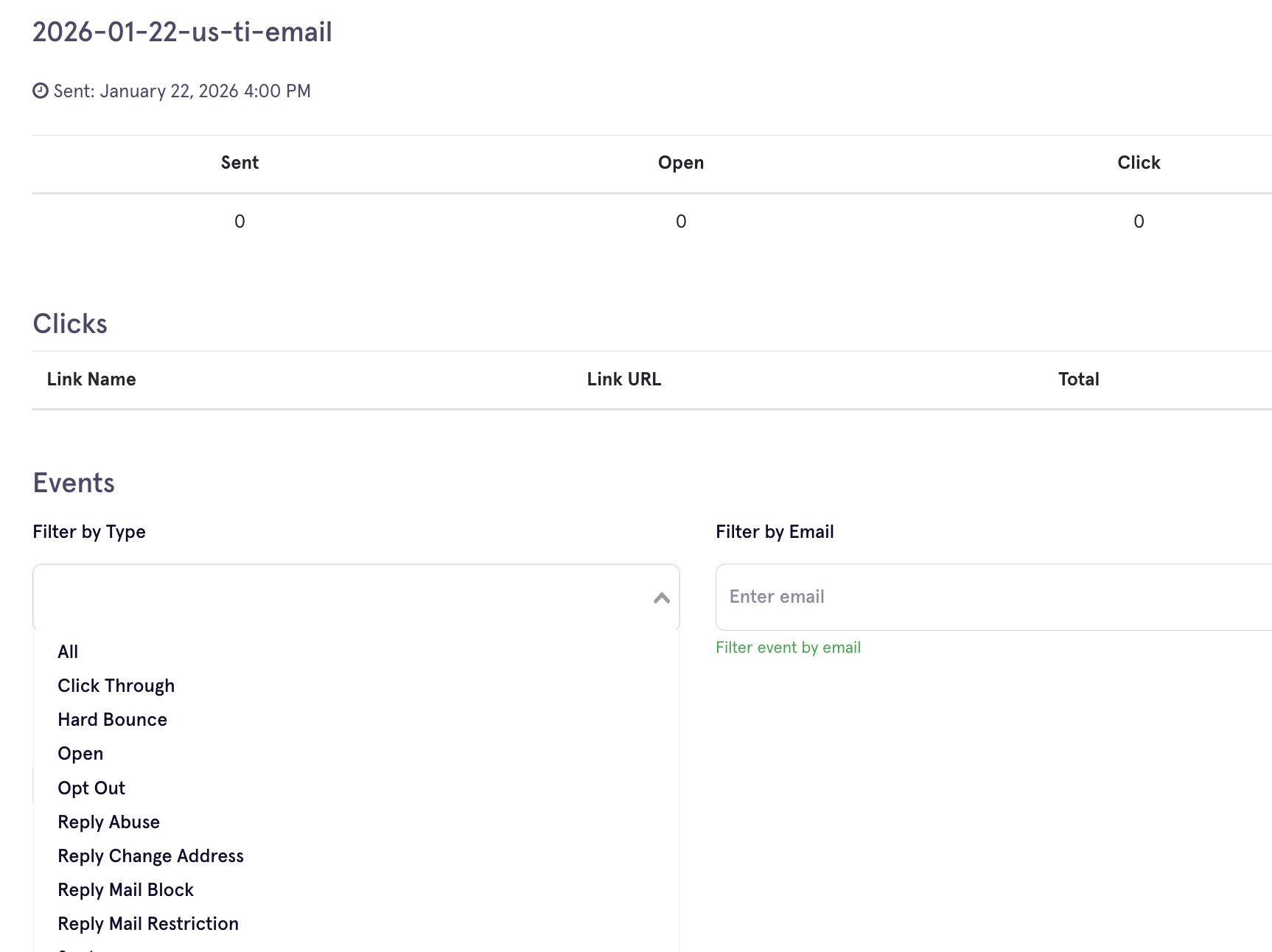
- Click the Eye under Report to see more details on who open/ click/ opt out.

Did you find it helpful?
Yes
No
Send feedback Sorry we couldn't be helpful. Help us improve this article with your feedback.
