
Understanding This Meta Error
Sometimes when connecting Instagram to BranchUp, you may see an error message that looks like it’s from BranchUp. However, this message actually comes from Meta (Instagram’s parent company). It indicates a permissions issue in your Instagram account settings
Error Description
“OAuthException: Your account’s future activity history off Meta technologies is currently turned off"
It means Instagram is blocking third-party connections until a setting is updated.
How to Resolve
Please follow the steps below in your Instagram account:
Log in to your Instagram account
Click your profile picture in the top right
Select Settings & privacy
Click Settings
Open Accounts Center
Select Your information and permissions
Click Your activity off Meta technologies
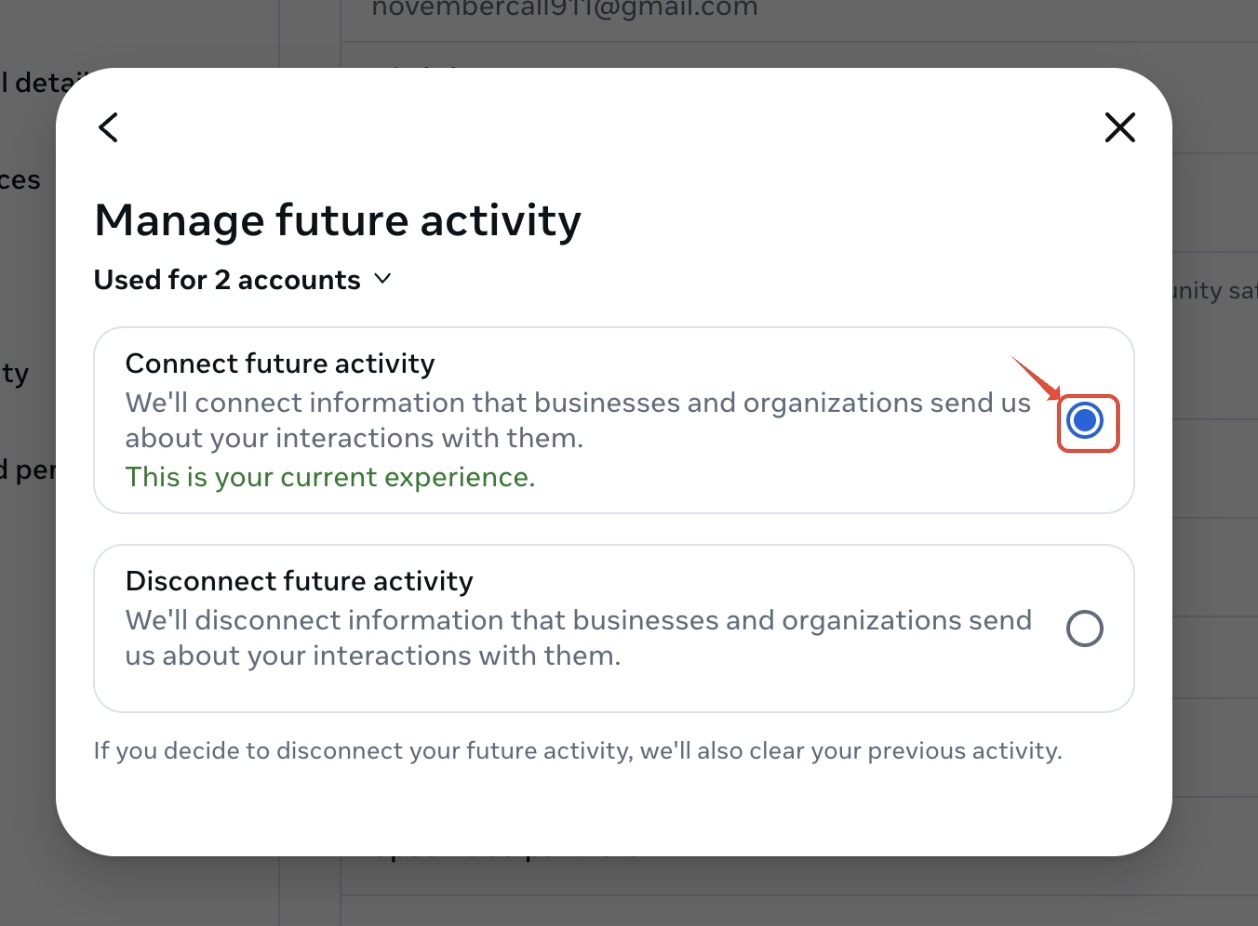
Select Manage future activity
Click CONNECT future activity
Final Steps
Once completed, log back into BranchUp and try connecting Instagram again.
Make sure your Instagram account is set to a Professional Account, as this is required for integrations.
For additional details, you can also review Meta’s related help article.