- Log into your BranchUp account
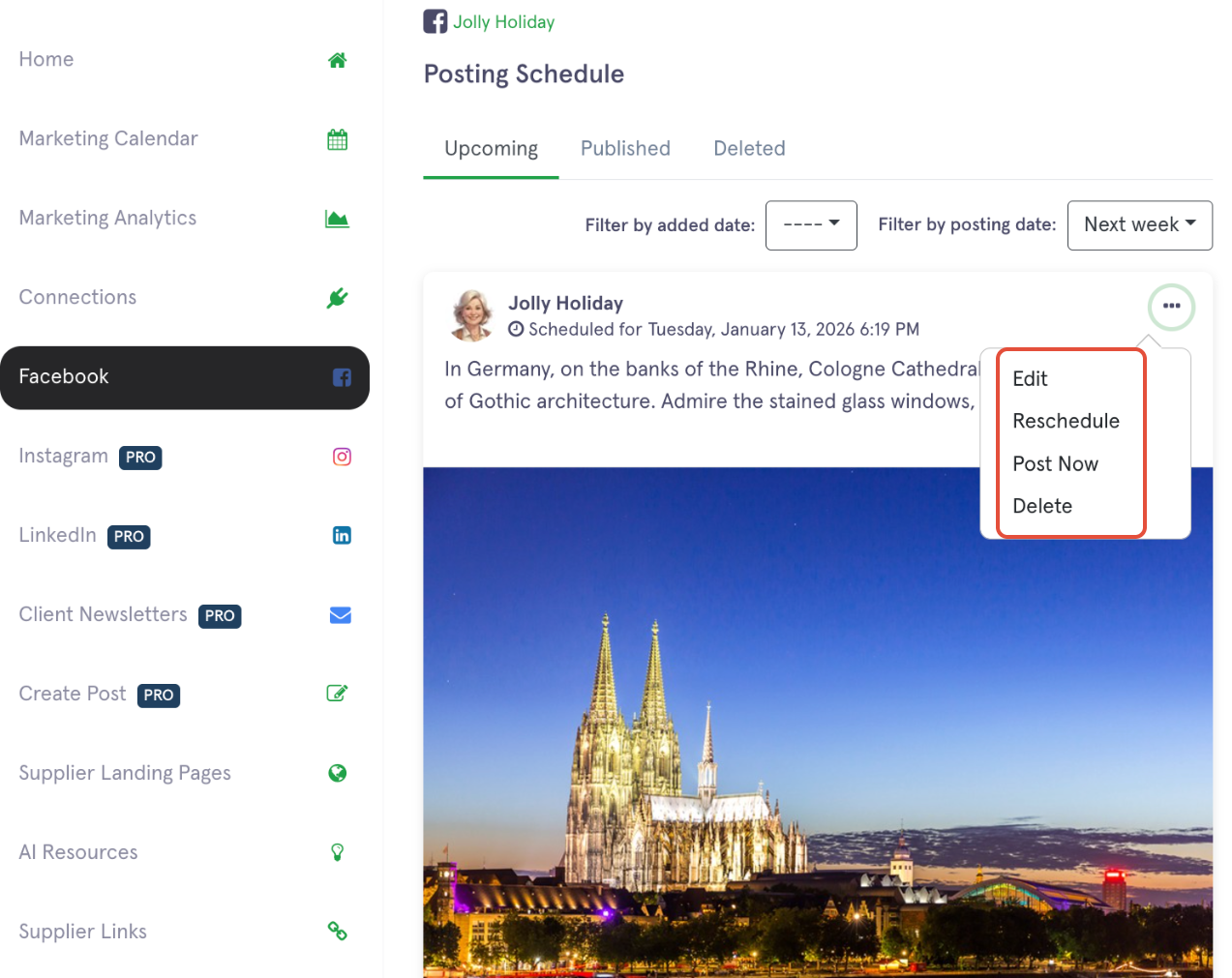
- Click ‘Facebook’ in the navigation menu on the left side
- On the upcoming post, click the ellipsis (3 dots)
- Choose the option to 'Edit, Reschedule, Post Now or Delete' a post

Modified on: Tue, Jan 13, 2026 at 2:36 PM
Did you find it helpful? Yes No
Send feedback