
If your BranchUp posts are not automatically appearing, the issue may be that Facebook is requesting confirmation of your identity.
This Meta article provides more information. Follow the steps below to confirm your identity.
Step-by-Step Confirmation Process
Follow these steps on Facebook (not in BranchUp) when prompted during autopost setup:
1. Log in to Facebook in your mobile phone or any app (do not open in browser)
2. Select your Personal account (not business page)
3. Once you are in your Personal account, select settings and privacy > settings
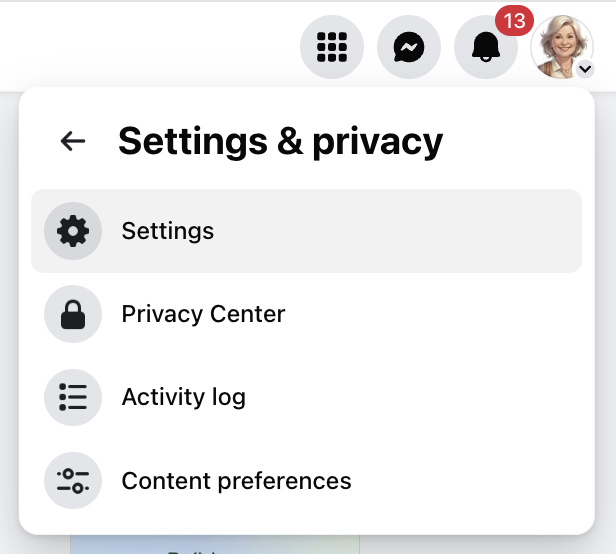
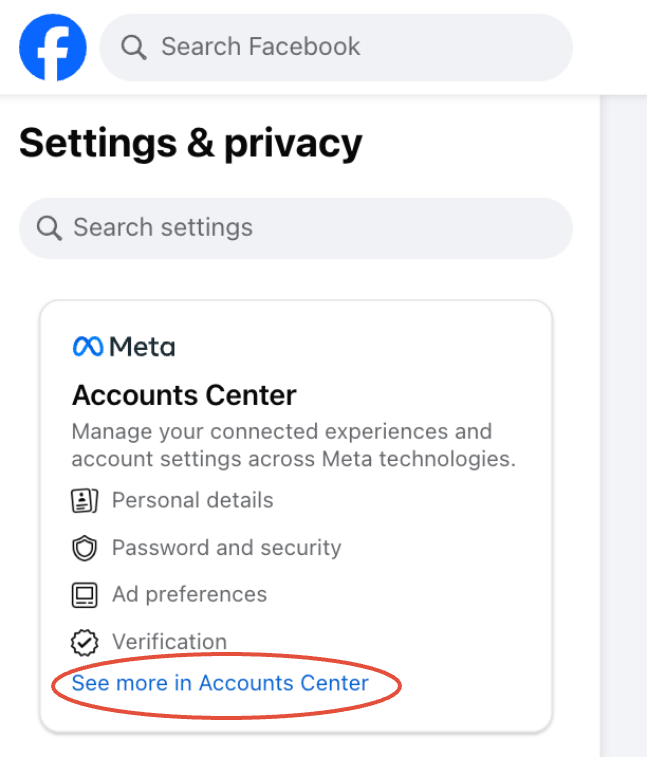
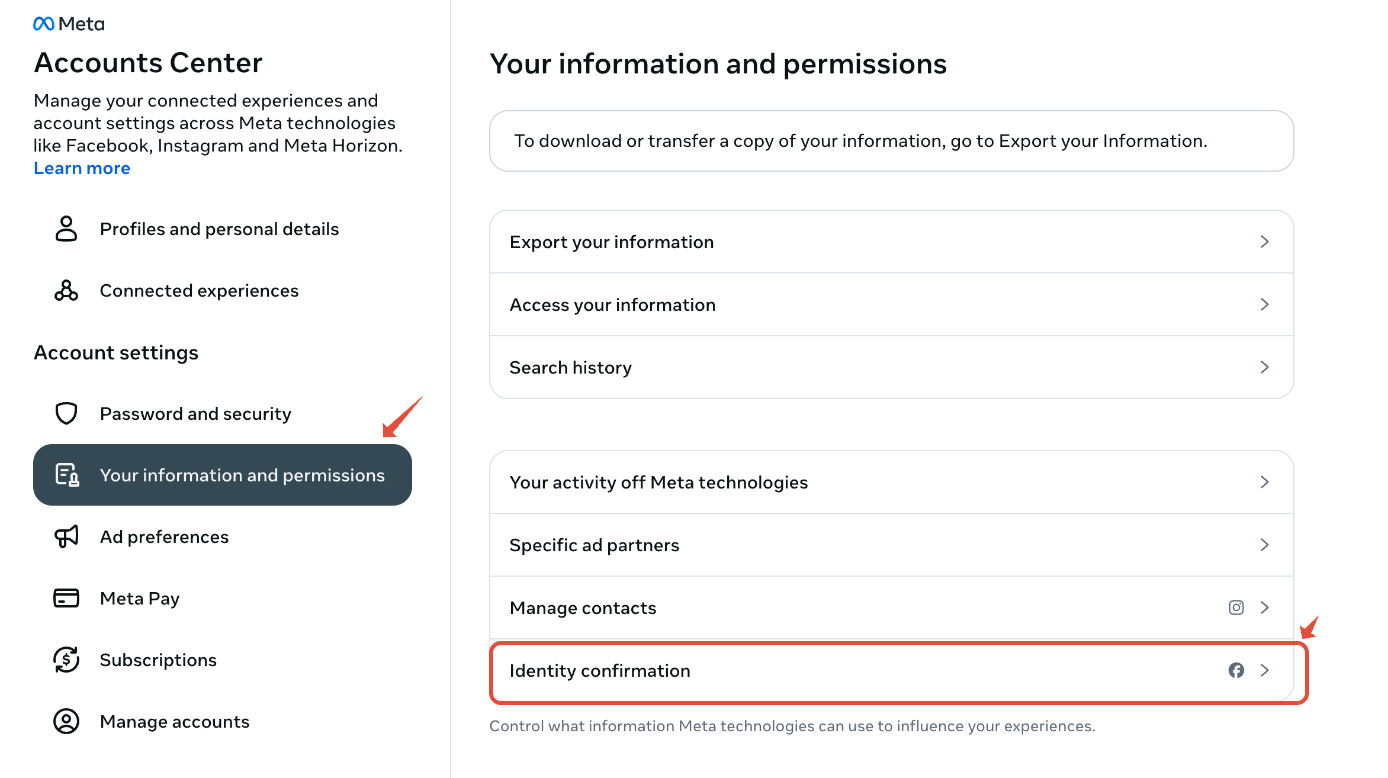
4. Select "See more in Accounts Center" >> "Your information and permissions" >> "Identity confirmation"
5. Select Get Started and follow the prompts
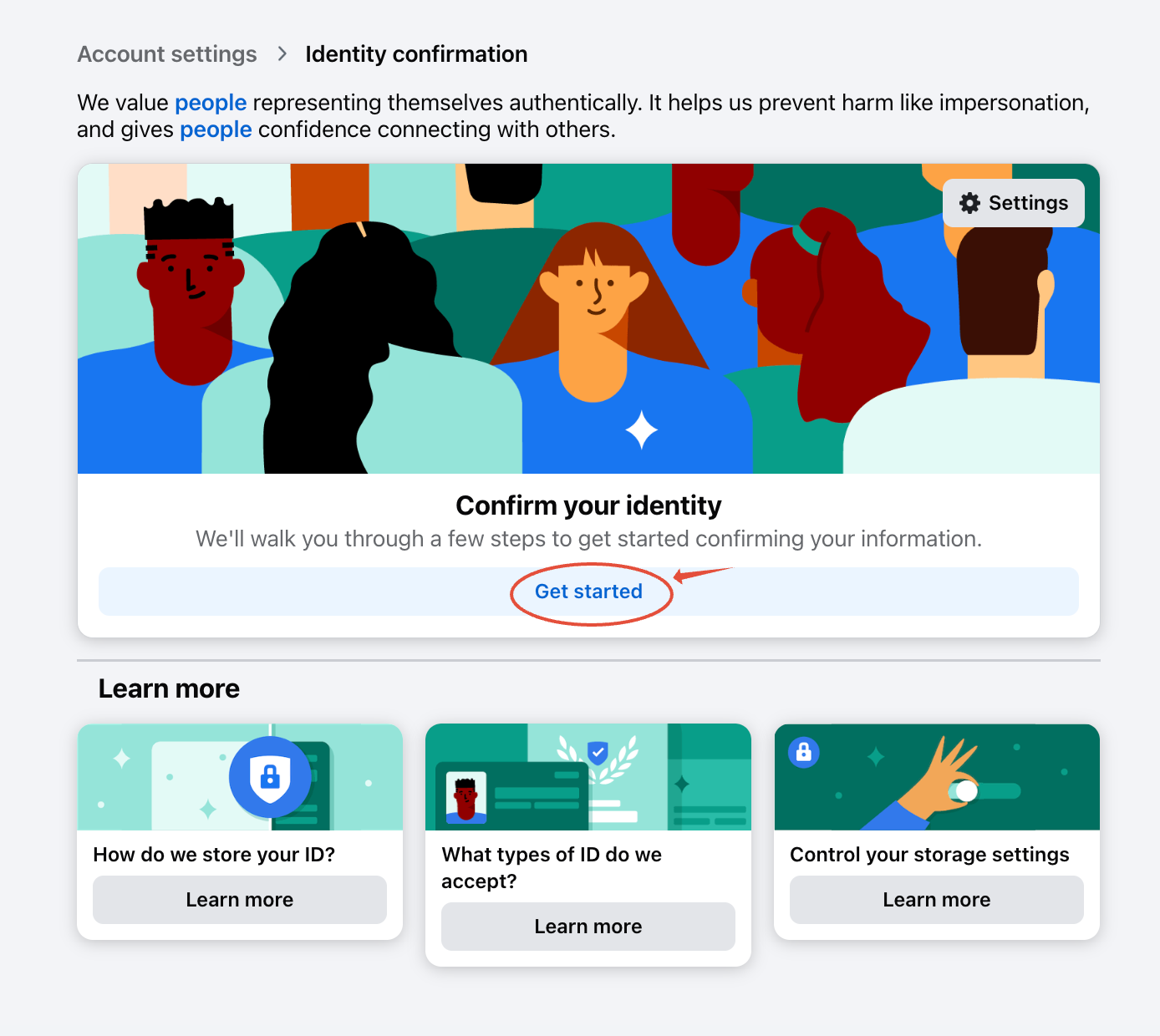
6. You may also learn more on how FB stores your ID, what types of ID are accepted, etc in the same page.
7. Once your identity is confirmed, your auto-post schedule with BranchUp will resume.
Learn more about Facebook Identity Confirmation here.